
Autel MaxiTPMS TBE200E 2IN1 Tester de adâncime anvelope, Examinator de uzură a discului de frână, TPMS Instrument de verificare a stării de sănătate a anvelopei Utilizare cu ITS600E

Descriere
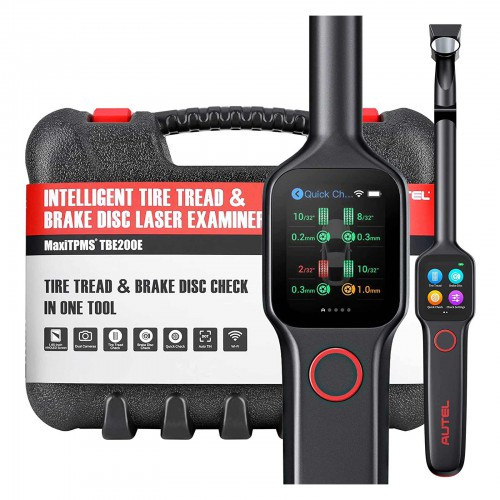
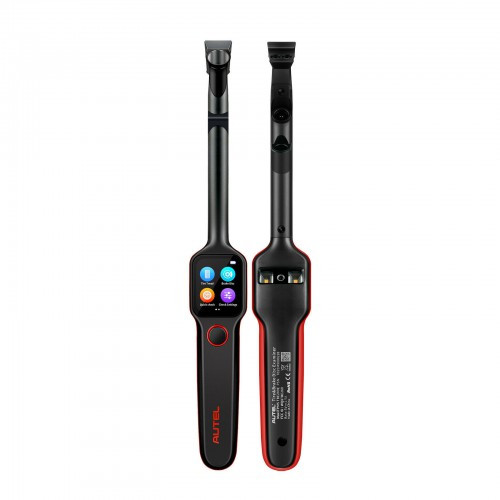
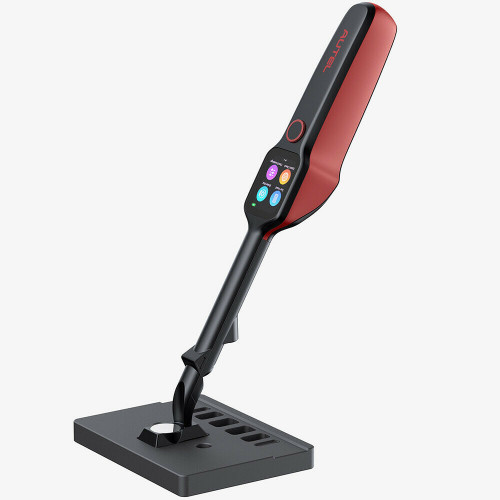
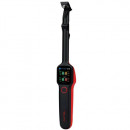
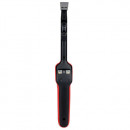
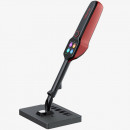
MaxiTPMS TBE200E este cel mai nou tester inteligent pentru verificare discuri de frane si anvelope lansat de Autel. Tehnologia de măsurare cu laser evită pierderea timpului cu demontarea anvelopei sau mutarea dispozitivului TPMS pentru a efectua mai multe teste. Cu o singură scanare, datele de pe discul anvelopei pot fi citite, iar precizia testului este de până la 0,1 mm. Detectarea eficientă cu laser evită în mod eficient accidentele cum ar fi alunecarea roților, explozia anvelopelor și defecțiunea frânelor. Ecran tactil AMO LED super retina de 1,65 inchi, operare ușor de navigat și design portabil combinate în instrumentul TPMS TBE200E pentru a facilita munca mecanicilor. Produsul este stoc Europa insa se aduce in Romania la cerere dupa plata unui avans minim care sa asigure fermitatea comenzii.
● The MaxiTPMS TBE200E is a laser-enabled tire tread depth & brake disc wear examiner that provides users with quick and accurate wear measurements.
● Measure brake disc wear without having to remove tires.
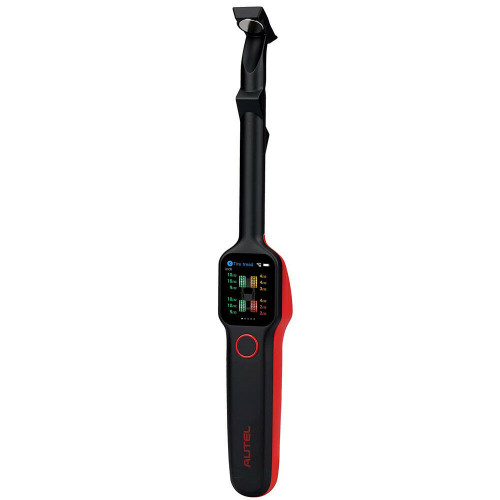
● It features a 1.65” AMOLED super retina touchscreen, displaying measurement data curves in real-time.
● TBE200E provides uneven wear analysis and detailed replacement & maintenance suggestions for quick tire service.
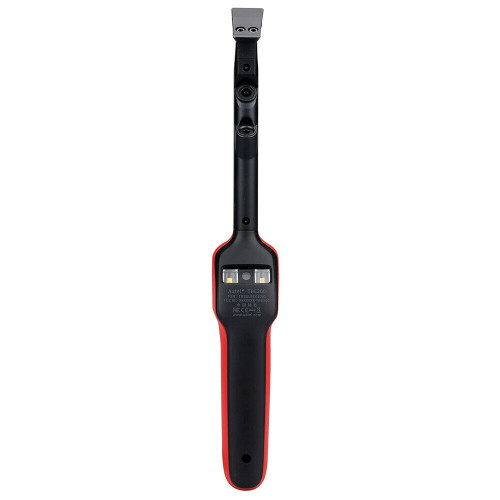
● The TBE200E dual cameras enable users to document tire wear and damage and scan Tire Identification Number (TIN).
● Use the tool separately, or with ITS600(E) to view and print detailed TPMS reports.

Tow Modes To Check Tire:
There are two check modes available under the tire tread application:
● Single Check: Helps measure the wear of each tire on the vehicle by examining the tread depth in the center area of the tire only.
● All Tread Check: The All Tread checks your tire wears in three separate areas (outer, center, and inner) for a more comprehensive analysis.
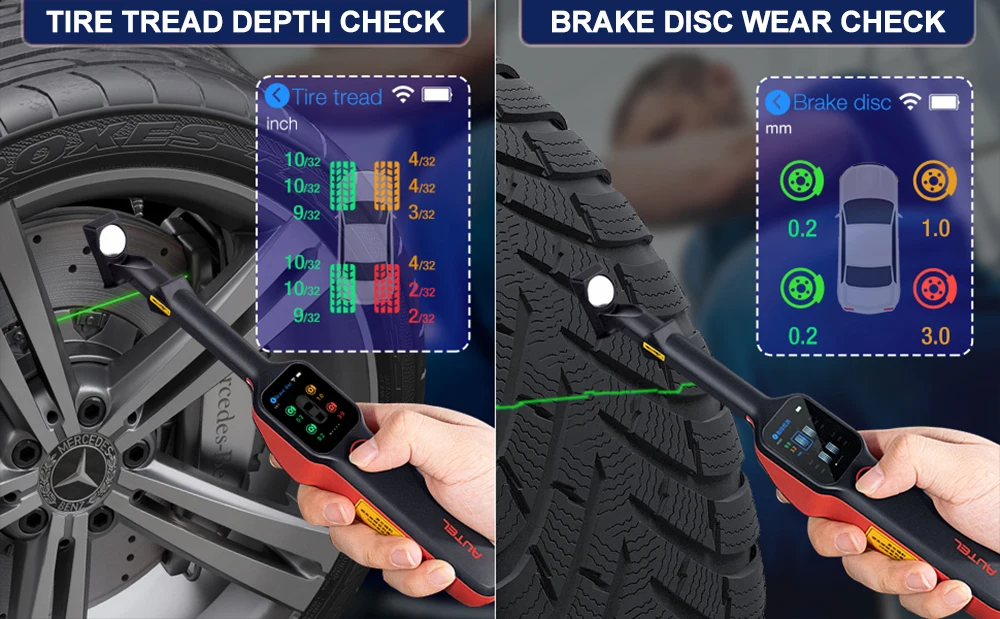
Tread Depth & Brake Disc Wear 2in1 Tester:
1.Tire Tread Depth:
Using laser technology, the Tire Tread application analyzes the wear of the tires on vehicles with no need to remove the tires. Place the tool on the tire, and the tool projects a laser beam. The wear measurement is then sent to the display screen with an accuracy within 0.1mm. Measurements are also displayed graphically. The Tire Tread application provides two types of checks: “All Treads” and “Single.” When using this application, a message will display prompting user to choose between the current mode the alternative one.
2.Brake Disc Check:
This function allows the Brake rotor surface wear to be measured independent of the tire tread depth measuring functions. In the order displayed on the tool. Place the tool’s magnetic tip on the rotor 90 degrees so the laser will span from the hub and the edge of the disc. Swiping left will display the information for each brake rotor. 0.1 refers to the amount of surface wear on the brake rotor. 1/10TH of a millimeter. The typical threshold for replacement is 1.0 mm of material worn off the surface. These rotors are in great condition.

Real-Time Tire Health Analysis:
Technicians or DIYers just need to place the tool on the tire surface, and disc surface, pressing the Power/Measure button to take measurements for each tire and the real-time measurement data will appear on the screen with wear status illustrated in different colors.
● Real-time measurement data on touchscreen
● Measurement data curve display
● Uneven wear analysis
● Test detail for single tire tread / brake disc
● Detailed replacement & maintenance suggestions (tire/brake disc replacement, tire rotation/alignment servicing)
● Scan DOT, tire expiration notice, tire recall lookup
● Take photos of tire wear & damage

1.SCAN DOT:
Autel TBE200E scan tool can scan or manually enter the tire DOT serial number located on the sidewall to acquire basic tire characteristics such as tire recall (American region only) and tire age.
2.Car Type Setting:
The Tire type setting function is to choose the right type of tire for the vehicle. Three tire types are available, Summer, Winter, and All Season. Select a tire type.
3.Quick Check:
The Quick Check function is specifically designed to measure the tires and brake discs in one session. This mode also provides a comprehensive analysis of tire and brake disc wear.
4.Camera Functions:
TBE200E comes with dual cameras(1-megapixel macro camera, and an 8-megapixel zoom camera) to display the measurement data curve in real-time. The TBE200 dual camera enables users to take photos to record tire wear and damage. It can also scan the tire identification number (TIN).

Comprehensive TPMS report:
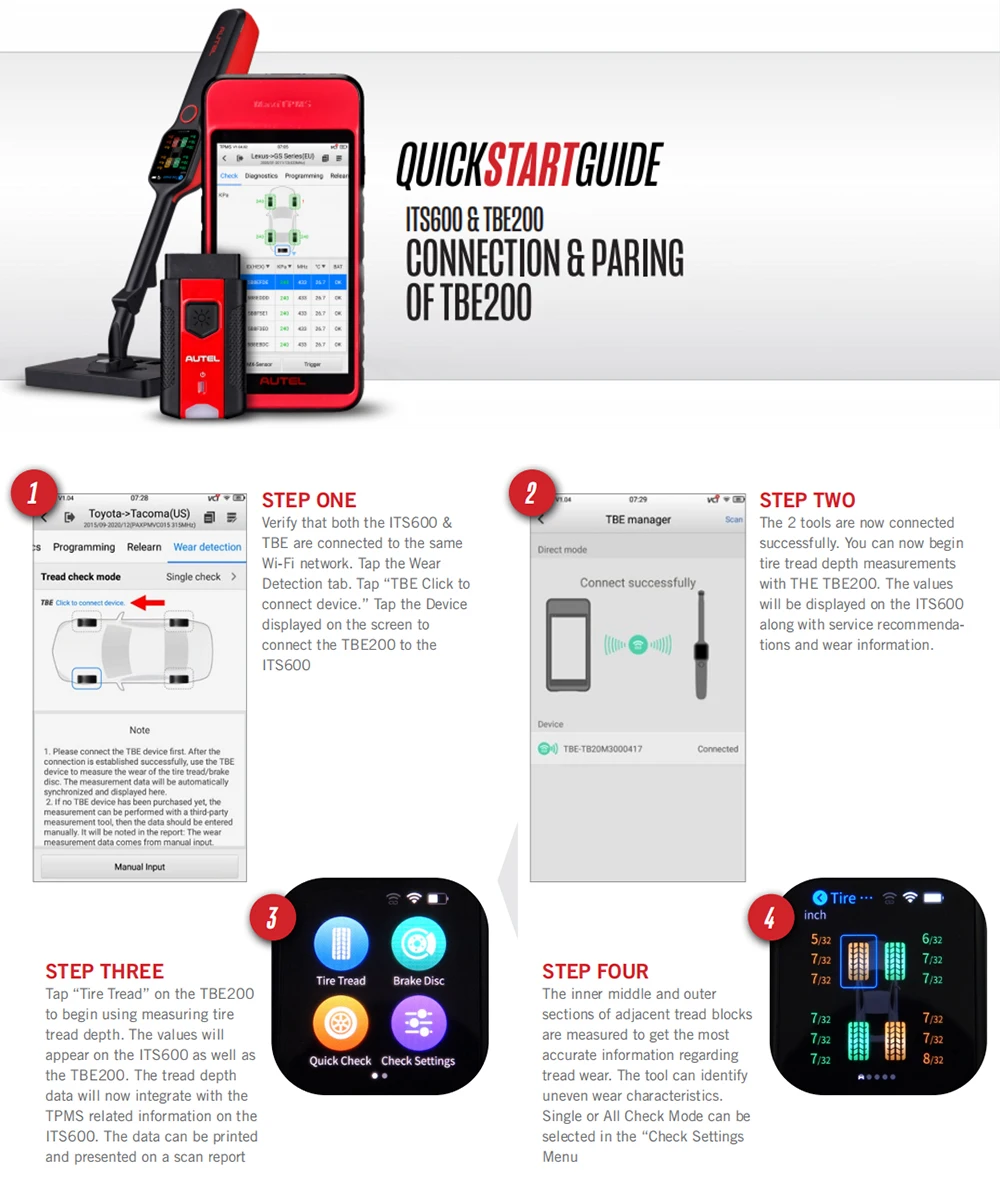
Autel TPMS diagnostic tool ITS600 can connect to Autel TBE examiner TBE200E via Wi-Fi direct mode to get tread depth & brake disc wear measurements and generate a report which composes detailed TPMS diagnostic results, tire tread depth, and brake disc wear measurements results as well as corresponding repair suggestions.
Note: This functions needs to use with Autel TPMS Relearn Tool ITS600 (E).
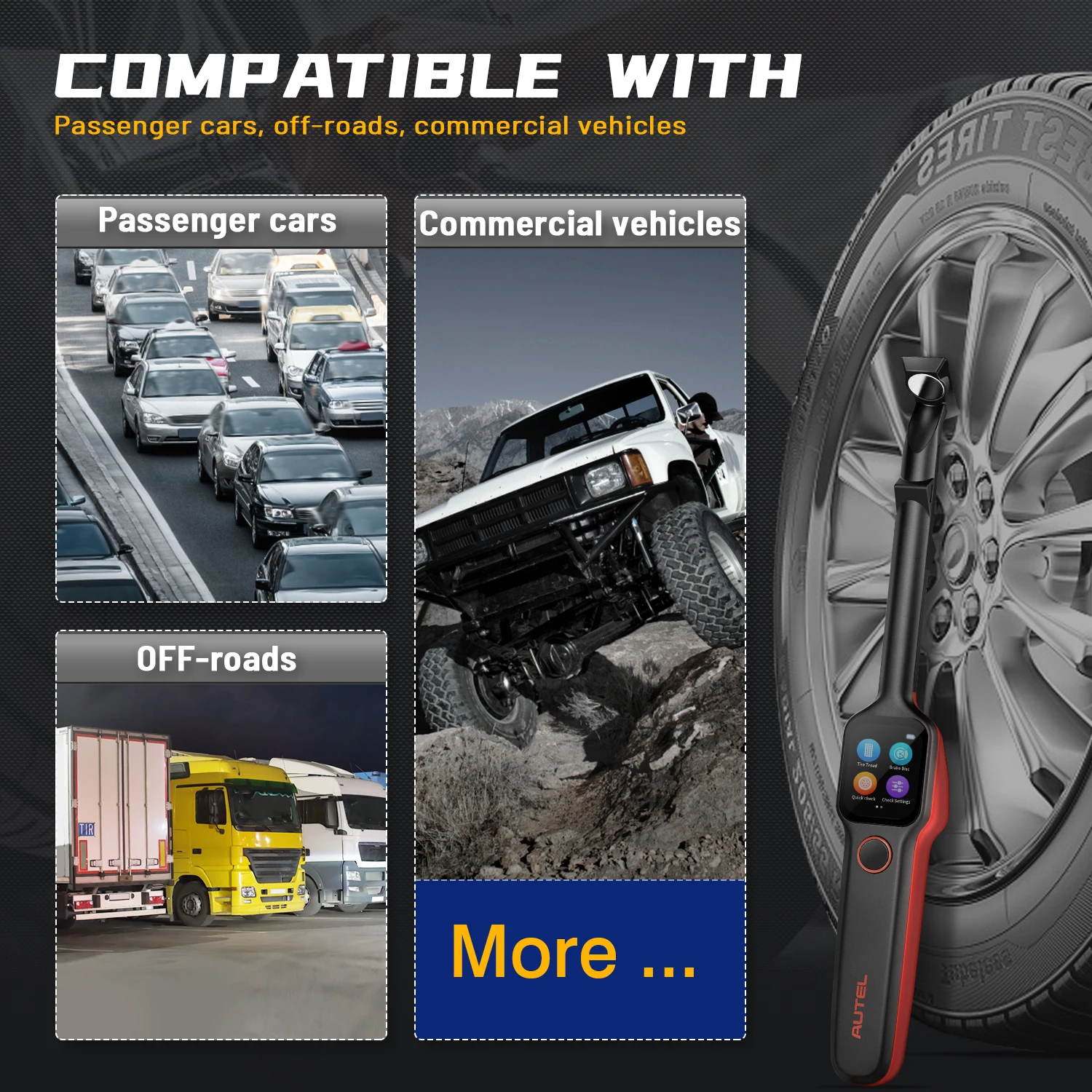
Covering 99% of Tires In The Market:
The Autel TPMS tool MaxiTPMS TBE200E can detect almost all brands of tires in the market such as Goodyear, Continental, Michelin, BRIDGESTONE, and DUNLOP. No matter whether it’s passenger cars, off-road vehicles, or commercial vehicles, one ITS600 is enough to measure the tire depth and disc wear for them all.

Advanced Hardware:
Autel TPMS tool TBE200E features a 1.65’’ super retina touchscreen and an easy-to-operate interface to give users a superior user experience. Wi-Fi connection enables the TBE200E to connect with ITS600 to print diagnostic reports. 3.7 V/3000 mAh 18650 lithium-ion battery provides users with 8 hours of continuous use.

How To Use Autel TBE200:
STEP 1: Long press the power button to turn on the tool.
STEP 2: Perform Tire Tread Check: On the Main Job screen, tap the Tread Check icon, and place the tool on the tire surface. Short press the power button. Ensure the laser line is perpendicular to the channels of the tire. The screen will display real-time measurement data, slide left to view details.
STEP 3: Possible Results for Measurements: Wear status is represented by icon color: A gray icon indicates the tire is untested; green indicates the tire is in good condition; yellow indicates a replacement is recommended; red indicates immediate replacement is recommended.
STEP 4: Calibration: On the Main Job screen, tap the Calibration icon, and place the magnetic head on the calibration table. Press the power button to start. Wait for 1-2 minutes until calibration is complete.
Note: Calibration is recommended every two months. Immediate calibration should be performed if deviations are detected or if the tool is dropped or in some manner mishandled.
TBE200 Specifaictions:
Recommended Use: Indoor
Processor: 4x ARM Cortex-A35 (1.5 GHz)
Memory: 1GB RAM LPDDR3 & 4GB ROM
Display: 1.65-inch AMOLED capacitive touchscreen with 348×442 resolution
Connectivity:
• Wi-Fi
• USB 2.0, Type C
Camera: CMOS WXGA, 1 megapixel & 8 megapixel, 30fps
Audio output Output: Beep
Power and Battery:
• 3.7 V/3000 mAh 18650 lithium-ion battery
• Charges via 5 V AC/DC power supply
Tested Battery Life: Around 8 hours of continuous use
Battery Charging Input: 5 V/1.5 A
Power Consumption: 300 mA (AMOLED on with default brightness) @3.7 V
Operating Temp.: -10 to 45°C(14 to 113°F)
Storage Temp.: -20 to 60°C (-4 to 140°F)
Dimensions (W x H x D): 283.0 mm (11.14”) x 39.0 mm (1.54”) x 33.5 mm (1.32”)
Net Weight: 188 g (0.41 lb.)

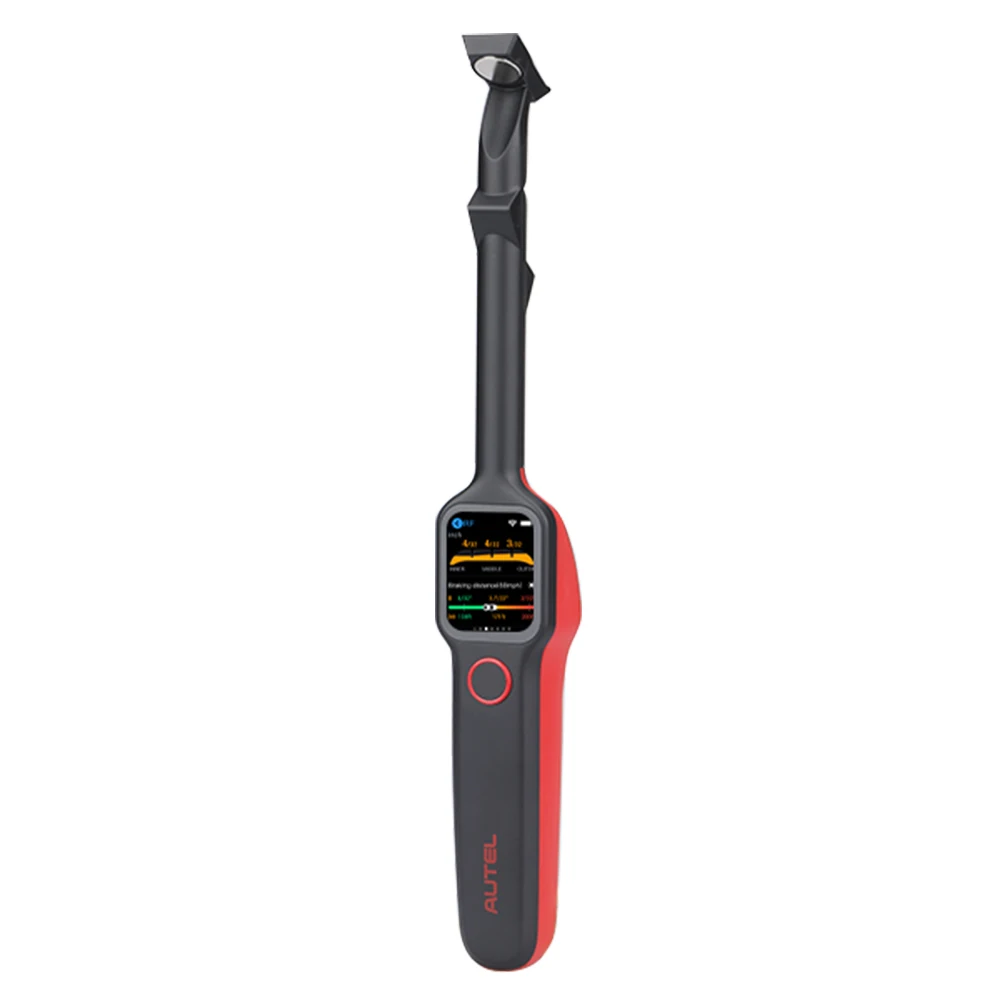

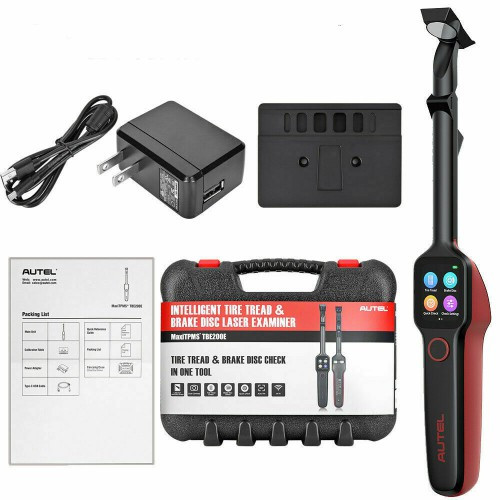
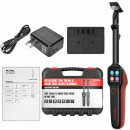
TBE200 Package List:
1 x Main Unit
1 x Calibration Table
1 x Power Adapter
1 x Type C USB Cable
1 x Quick Reference Guide
1 x Packing List
1 x Carrying Case
Pentru mai multe detalii va rugam utilizati formularul de contact.
Puteti accesa si catalogul de produse Launch / Autel / Topdon aici:
Catalog produse Launch / Autel / Topdon
Detalii
Ce spun clientii
Produse recomandate
-
Launch X431 SmartSafe iSmartlink D01 Premium 10.1 inch, 4/128 Gb, 9360 mAH Turisme & Camioane- Tester Original Launch, Versiunea Europa, Promotional cu 3 ani Update Online, Stoc limitat !11.793,94 RON 14.742,68 RON9.747,06 RON (fara TVA)
-
Kit Tester diagnoza Mercedes MB STAR COMPACT / MB PRO M6 + Laptop Militar I5 Mercedes XENTRY versiune noua Limba Romana up-date la zi4.989,81 RON 5.899,91 RON4.989,81 RON (fara TVA)
-
Promotie TESTER DIAGNOZA TEXA – NAVIGATOR NanoS + soft IDC6 Premium + Laptop Panasonic – TEXA ORIGINAL17.587,00 RON 18.004,76 RON14.534,71 RON (fara TVA)
-
Tester auto profesional Autel MaxiCOM MK900-BT MK900BT Instrument de diagnosticare service auto multimarca, Suporta DoIP/CAN FD și funcții de testare a bateriei2.999,00 RON 3.699,00 RON2.999,00 RON (fara TVA)
-
Osciloscop LAUNCH X431 02-2 Model 100% Original 4 Canale 100MHZ, total compatibil cu gama de aparate X-431, 23 Masuratori Distincte Active2.999,00 RON 3.258,00 RON2.999,00 RON (fara TVA)
-
Tester AUTO baterii Topdon BT600 cu imprimanta incorporata , 12-24V, model profesional multimarca, Încărcare 100-2000CCA, afisaj digital de tensiune a bateriei, ecran color de 3,51.005,62 RON 1.138,82 RON831,09 RON (fara TVA)
-
TOPDON Phoenix Elite tableta 4/64Gb, 10.1 inch, Tester Auto Profesional Wireless, Codare Online, ADAS, multiple servicii de resetare, Doip + CanFD, Update gratuit 2 ani9.353,61 RON 9.953,52 RON7.730,25 RON (fara TVA)
-
Otofix D1 PROS2 Tester Auto Multimarca Profesional cu functii de codare Online Volkswagen, Audi, Skoda, Peugeot, Citroen, DS, acum si Limba Romana3.469,00 RON 4.699,00 RON3.469,00 RON (fara TVA)
-
TEXA Tester Profesional pentru Camioane, Semiremorci - Navigator TXT MultiHub, Software IDC6PLUS Truck30.999,00 RON 33.999,00 RON25.619,01 RON (fara TVA)